In today's world, security has become a major concern, both for homeowners and businesses. With technology improving at such a rapid pace, it’s important to find the best ways to keep your properties safe from potential threats. A clock camera is a great way to keep a watchful eye on your home or office when you’re not around. With its discreet design and effective features, it can provide you with the peace of mind you need. In this blog post, we will discuss the best practices for installing and positioning your clock camera, integrating it with your existing security system, understanding the legalities of its use, monitoring footage effectively, and maintaining and troubleshooting common clock camera issues.
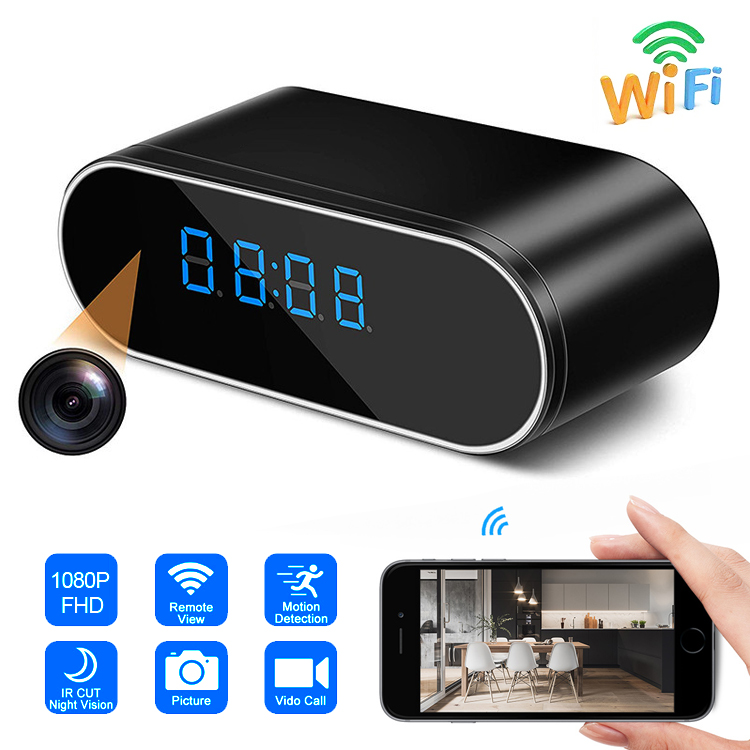
1.Best Practices for Installing and Positioning Your Clock Camera:Before installing a clock camera, you need to determine the areas you want to monitor. Once you have identified these areas, you can decide whether you want to place the camera high up on the wall or low on a shelf. Clock cameras come in various designs and sizes, so choose one that suits your preferences. When mounting the clock camera, ensure that it is at an angle that captures the entire room and that it is impossible to tamper with. Also, make sure that the camera is positioned at a height that makes it difficult for criminals to reach or cover it up.
2.Integrating Clock Cameras with Your Existing Security System:
Clock cameras can operate independently or as part of your existing security system. To integrate your clock camera with your security system, connect it to a monitor or a recording device such as a Digital Video Recorder (DVR) or a Network Video Recorder (NVR). You can also invest in cloud storage packages or set up an FTP server to store the recorded footage in a remote location. In addition, you can integrate your clock camera with mobile apps that allow you to monitor your property from anywhere in the world.
3.Understanding the Legalities of Using Clock Cameras for Surveillance:
It’s essential to abide by the legal requirements of using clock cameras in your home or office. Before installing the camera, inform your employees or family members about its presence. Moreover, ensure that the camera only records areas that are within legal boundaries and do not infringe privacy rights. If necessary, consult with legal professionals to ensure that your use of the camera complies with the law.
4.How to Effectively Monitor Footage from Your Clock Camera:
Monitoring footage from your clock camera can help identify potential security threats and improve your overall security system. Ensure that your camera setup includes clear and straightforward viewing methods, so you can quickly and efficiently determine any problems. Keep in mind that a quality clock camera should provide high-quality images and footage. Moreover, take a regular review of the recorded footage to ensure that you identify any changes or inconsistencies.
5.Maintaining and Troubleshooting Common Clock Camera Issues:
As with any device, a clock camera can experience technical issues that can affect its performance. To best maintain and troubleshoot your clock camera, it is essential to secure regular updates, system checks, and maintenance. Ensure that the camera is cleaned regularly and that all software and firmware updates are swiftly implemented. If you notice any malfunctions, the camera may need to be serviced or repaired. Refer to the product manual, and if necessary, don't hesitate to contact the vendor for support.
A clock camera is a practical and cost-effective way to enhance the security of your home or office. By following the best practices for installing and positioning your clock camera, integrating it with your existing security system, understanding the legalities of its use, monitoring footage effectively, and maintaining and troubleshooting common clock camera issues, you can enjoy the peace of mind that comes with enhanced security in your property. To get more information on the best clock cameras that can meet your security needs, contact us at Tel: +86 13927473711 or E-mail: jingzhi2013@hotmail.com.


